
• Skip to main content
  • Skip to header right navigation
  • Skip to site footer
  • X
  • Facebook
  • YouTube
  • LinkedIn
Screen Connect
Support
Customer Portal
Pay Online
SWK logo.

SWK Technologies

Software Solutions & Services

  • Accounting & ERP Software
      • Acumatica Cloud ERP
        • Overview
        • Construction
        • Distribution
        • Field Service
        • Financial Management
        • Manufacturing
        • Professional Services
        • Project Accounting
        • Retail-Commerce
      • Sage Intacct
        • Overview
        • Construction and Real Estate (CRE)
        • Distribution Operations for Sage Intacct
        • Financial Services
        • Healthcare
        • Manufacturing Operations for Sage Intacct
        • Nonprofits
        • Professional Services
        • Sage Intacct Payroll powered by ADP
      • Sage 100
        • Overview
        • Business Intelligence
        • Core Accounting & Financials
        • Distribution
        • Manufacturing
        • Payroll
        • Sage 100 Contractor
      • More Accounting Products
        • QuickBooks
        • Sage 50
        • Sage 300
        • Sage 500
        • Sage BusinessWorks
      • ERP Add-ons
        • ADP Workforce Now
        • Altec
        • Avalara
        • AvidXchange
        • BigCommerce
        • CIMCloud
        • Cloud Hosting
        • DataSelf
        • Fortis
        • FreightPOP
        • Lumber
        • Microsoft 365
        • Netstock
        • Ottimate
        • Quadient
        • Sage Fixed Assets
        • Sage HRMS
        • Sage Intacct Payroll powered by ADP
        • Savant WMS
        • Endpoint Automation Solutions (FKA Scanco)
        • ScanForce
        • Solver
        • SPS Commerce
        • Velixo
        • Workforce Go!
      • More ERP Add-ons
        • Bizinsight
        • Concur
        • Crystal Reports
        • Fraxion
        • Fusion RMS
        • FYISoft
        • JobOps
        • KnowledgeSync
        • Lockstep Collect
        • Nectari
        • Pacejet
        • Planning Maestro
        • Sage CRM
        • Sage Intelligence
        • Sage Supply Chain Intelligence
        • Scissortail HCM
        • Service Pro
        • ShipStation
        • Shopify
        • Starship
        • Sugar CRM
        • Time & Billing Pro
        • Timekeeper
        • True Sky
      • Industries
        • Construction
        • Distribution
        • Financial Services
        • Healthcare
        • Manufacturing
        • Nonprofit
        • Professional Services
        • Retail
  • Managed Cloud Services
      • Managed IT Services
        • Managed Cloud Services
        • Network Assurance Core
        • Email Hosting
        • IT Support
        • Microsoft 365 Services
        • Server Monitoring
        • Virtualization
      • Cybersecurity
          • CyberAssurance CORE™
          • Cybersecurity Solutions
          • Backup & Continuity
          • Dark Web Monitoring
          • EDR
          • Encryption
          • MFA
          • Penetration Testing
          • Security Training
          • Spam & Virus Filtering
          • vCIO
          • Vulnerability Assessment
      • Cloud Services
        • Cloud Hosting
        • Infrastructure-as-a-Service
        • Acumatica IaaS
      • Industries
        • Financial Services
        • Healthcare
        • Construction
      • Locations
          • Nationwide
          • Austin
          • California
          • Chicago
          • Minneapolis
          • New Jersey
          • New York
          • North Carolina
          • Philadelphia
          • Phoenix
          • San Diego
          • Seattle
  • Consulting & Implementation
    • Business Technology Consulting
    • eCommerce
    • Financing
    • Human Capital Management
    • Managed Cloud & IT Services
    • Partner Program
    • Software Development
    • Software Implementation
  • Resources
    • Help Desk
    • Blog Posts
    • Payments Portal
    • Webinars
    • YouTube Channels
    • Acumatica Resources
    • Sage Intacct Resources
    • Sage 100 Resources
    • IT Resource Pages
  • About
    • About SWK
    • Awards & Recognition
    • Life@SWK
    • Careers
    • Success Stories
    • SWK Gives
  • Contact
    • Contact Us
    • Support
    • Our Locations

Gain Real-time Jobsite Access from Sage 100 Contractor in the Cloud

March 20, 2026 by Hector

Home » Construction » Gain Real-time Jobsite Access from Sage 100 Contractor in the Cloud

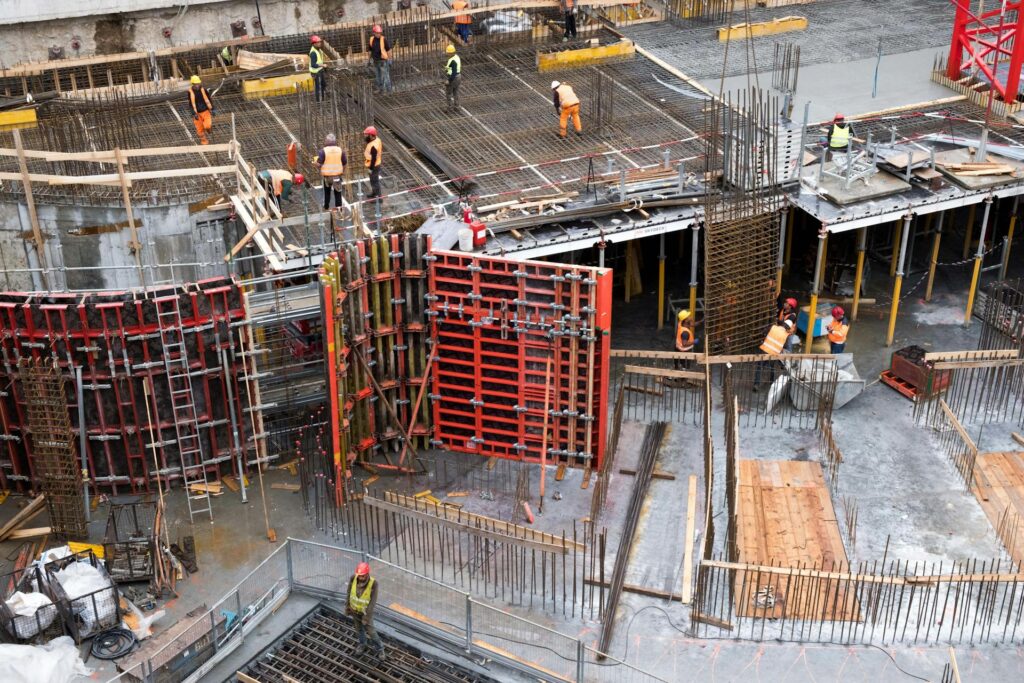
Aerial view of an active construction jobsite with multiple workers in orange safety vests and hard hats working across concrete formwork, rebar grids and red metal shoring panels during a large-scale building project.

If your construction firm is using – or plans to use – Sage 100 Contractor on-premise, then you are losing out on gaining true visibility into all of your teams and projects, including onsite at each location. From the jobsite to the back office, data remains siloed until it is manually passed along when working in legacy systems, slowing down your operations. Migrating to the cloud, however, knocks down these barriers and enables your team to communicate from anywhere with a Wi-Fi connection.

Continue reading below to learn more about how hosting Sage 100 Contractor in a cloud-based environment will give you real-time access to the information you need from any jobsite:

How the Cloud Provides Remote Access to Your Construction Jobsite

Cloud computing is based on Internet connectivity, and thus captures the benefits of web-based functionality for your accounting software. Whereas the legacy approach leaves your application locked to a local server or workstation, a hosted solution can be accessed from anywhere and at any time, as long you remain connected. While there are other options for remote access between devices in different locations, many of these feature significant drawbacks – lack of inherent security, lack of scalability, etc. – and do not bring all of the same benefits as leveraging cloud-based methods:

Real-time Connectivity

When you host Sage 100 Contractor in the cloud, every authorized user is plugged into the same live software environment, as opposed to having to create individual and more temporal connections to be able to access data and systems. Updates entered from someone in the field are visible to employees in the office, without any lag in waiting for files to be imported or exported.

Access from Any Device

Many on-premise solutions were designed well before the digital world became so interconnected and consequently lack true integration or cross-device functionality, and even those that could allow a user to connect their tablet or smartphone often lack the security protections needed for modern cyber threats. The cloud provides more seamless and more defendable ways to bridge users between locations and your software reporting databases.

The Full Benefits of Real-time Visibility Through the Cloud

There are several immediate benefits that come when hosting your Sage 100 Contractor accounting software in a cloud-based environment, including:

See Activities as They Happen

On-premise systems retain siloed databases and force everyone to pass along information the old-fashioned way through manual uploads, communication and even filing paper when the system’s functionality creates too many roadblocks for sharing data electronically. When your construction application is hosted in the cloud, reports are visible as soon as they are entered into the shared environment.

Maintain Connections Between Teams

Construction projects are rarely run by a single team working from a single location, and keeping everyone aligned across the office, jobsites and service crews becomes increasingly difficult when each group is operating off its own copy of the data. When your accounting software is hosted in the cloud, every authorized user connects to the same instance, meaning that a change entered by one team is immediately visible to all others without any additional steps to push or pull the update.

Reduce Time Spent on Workflows

Too many construction firms are still manually tracking project details in spreadsheets because their legacy accounting software cannot be accessed in the field, making real-time data entry impractical and leaving office staff to reconcile information after the fact. Hosting your construction software in the cloud eliminates that gap, allowing field teams to enter data directly into the live system from any device, which means job cost updates, change orders and progress billing records stay current without depending on manual transfers between locations.

Other Benefits of Hosting Sage 100 Contractor

The cloud provides additional benefits for construction firms using Sage 100 Contractor beyond real-time access between your office and your jobsites. Here are a few of the top improvements you will see:

Security

On-premise systems carrying remote desktop connections introduce significant exposure, and maintaining the patching, access controls and backup protocols required to protect them in-house places demands on internal IT resources that most construction firms are not staffed to absorb. A cloud hosting provider manages security at the infrastructure level, with consistent patching, access management and data protection built into the service rather than delegated to your team.

Scalability

The performance capabilities of on-premise software is limited to whatever hardware you can afford to deploy locally, placing a strict ceiling on the processing power you can capture onsite. Cloud hosting removes that ceiling by allowing you to scale computing resources up or down based on your current needs, without purchasing or configuring additional physical equipment – your environment adjusts as your project volume and user count changes, rather than requiring a hardware investment each time your business grows.

Maintenance

Cloud-hosted environments make it much easier to perform software development in a controlled space without having to disrupt your live application. Rather than scheduling downtime around your team’s working hours to apply patches or service the server, your cloud service provider handles those tasks on their end – your construction software stays current, and your team keeps working.

Hybrid Cloud

Not every business is ready to migrate everything to a strictly digital environment at once, but thankfully that does not have to be the starting point for capturing the benefits of cloud-based computing. A hybrid cloud lets your tap into the best of both worlds, hosting an application like Sage 100 Contractor through a datacenter while you retain other on-premise resources you have already invested in, for just one example. This allows your firm to be flexible in migrating your solutions without having to overhaul your existing IT infrastructure at once.

How to Migrate Sage 100 Contractor to the Cloud

Migrating your on-premise construction accounting software to the cloud will require hosting it in an external datacenter, generally through a certified third-party parter. These CSPs (cloud service providers) take on the responsibility of standing up and maintaining the hosted environment, including the server infrastructure, security and backup systems. Working with a partner that has direct experience hosting Sage 100 Contractor is important, as the architecture of a legacy application deployed in the cloud differs from a native SaaS solution, and your CSP needs to understand those differences to set up your environment correctly.

Learn More About Hosting Sage 100 Contractor with SWK Technologies

If you are ready to move your Sage 100 Contractor reporting from disconnected silos into a secure, unified environment that all of your authorized users can access from any location, SWK Technologies will help you get there. Our team has the experience to migrate your construction accounting software to the cloud without disrupting your existing operations or your data.

Contact SWK here to learn more about how cloud hosting for Sage 100 Contractor will give your team real-time access to the data you need from anywhere and at any time.

Contact Us

Category: Construction, Blog, Cloud Hosting, Sage 100

Sidebar

Recent Posts

  • Gain Real-time Jobsite Access from Sage 100 Contractor in the Cloud
  • How to Use Recurring Journal Entries in Sage Intacct
  • How to Use Auto Generate Invoices in Sage 100
  • How the CCPA Audit Rule Affects SMBs in 2026
  • Cybersecurity Training – Why You Need More Than a Checkbox
  • How to Set Up AI Studio in Acumatica 2025 R2
  • A Brief History of the Dark Web

Categories

Ready to take the next step?

Contact SWK today to get in touch with one of our experts. We’ll go over your business challenges and unique needs, and see where you can unlock new value from your technology and make your operations run easier.

Get in touch!

Our Latest Posts

Aerial view of an active construction jobsite with multiple workers in orange safety vests and hard hats working across concrete formwork, rebar grids and red metal shoring panels during a large-scale building project.

Gain Real-time Jobsite Access from Sage 100 Contractor in the Cloud

Read moreGain Real-time Jobsite Access from Sage 100 Contractor in the Cloud
Sage Intacct recurring journal entries Transaction tab showing a new entry form with Book set to Accrual, Journal set to GJ–General Journal, Description set to Rent, Reference number 1, and two entry lines: a $1,500 debit to account 60300–Rent and a $1,500 credit to account 20100–Accounts Payable, both assigned to Department 100–Admin and Location 100–Entity 1.

How to Use Recurring Journal Entries in Sage Intacct

Read moreHow to Use Recurring Journal Entries in Sage Intacct
Sage 100 Auto Generate Invoices Selection screen showing the Order Type dropdown expanded with "Standard/Back Orders" and "Repeating Orders" options, selection criteria fields including Sales Order Number, Sales Order Date, Customer Number, Salesperson, Cycle Code, Ship Date, and Promise Date set to 2/24/2025, and checkboxes for Ship Invoice Complete, Select Orders on Hold, and Only Select Jobs with Status of Open.

How to Use Auto Generate Invoices in Sage 100

Read moreHow to Use Auto Generate Invoices in Sage 100

Awards and Accreditations

Top work places in NJ 2020.
Acumatica the Cloud ERP gold certified partner.
The Gold Microsoft partner logo on a black background.
Sage business partner diamond logo.
Dell Technologies Gold Partner
Sage tech partner logo.

Stay in the know!

Subscribe for exclusive ERP, process automation, IT and cybersecurity news.

Twitter
  • Facebook
  • YouTube
  • LinkedIn

Home
About
Contact

Support
Screen Connect
Pay Online
Downloads

SWK logo.

Headquarters:
120 Eagle Rock Ave, Suite 330
East Hanover, NJ 07936

Contact:
info@swktech.com
(877) 979-5462

Copyright © 2026 · SWK Technologies, Inc. · All Rights Reserved · Terms of Use · Privacy Policy

This site uses cookies to collect information about your browsing activities in order to provide you with more relevant content and promotional materials, and help us understand your interests and enhance the site. By continuing to browse this site you agree to the use of cookies. Visit our privacy policy to learn more.