• Skip to main content
  • Skip to header right navigation
  • Skip to site footer
  • X
  • Facebook
  • YouTube
  • LinkedIn
Screen Connect
Support
Customer Portal
Pay Online
SWK logo.

SWK Technologies

Software Solutions & Services

  • Accounting & ERP Software
      • Acumatica Cloud ERP
        • Overview
        • Construction
        • Distribution
        • Field Service
        • Financial Management
        • Manufacturing
        • Professional Services
        • Project Accounting
        • Retail-Commerce
      • Sage Intacct
        • Overview
        • Construction and Real Estate (CRE)
        • Distribution Operations for Sage Intacct
        • Financial Services
        • Healthcare
        • Manufacturing Operations for Sage Intacct
        • Nonprofits
        • Professional Services
        • Sage Intacct Payroll powered by ADP
      • Sage 100
        • Overview
        • Business Intelligence
        • Core Accounting & Financials
        • Distribution
        • Manufacturing
        • Payroll
        • Sage 100 Contractor
      • More Accounting Products
        • QuickBooks
        • Sage 50
        • Sage 300
        • Sage 500
        • Sage BusinessWorks
      • ERP Add-ons
        • ADP Workforce Now
        • Altec
        • Avalara
        • AvidXchange
        • BigCommerce
        • CIMCloud
        • Cloud Hosting
        • DataSelf
        • Fortis
        • FreightPOP
        • Lumber
        • Microsoft 365
        • Netstock
        • Ottimate
        • Quadient
        • Sage Fixed Assets
        • Sage HRMS
        • Sage Intacct Payroll powered by ADP
        • Savant WMS
        • Endpoint Automation Solutions (FKA Scanco)
        • ScanForce
        • Solver
        • SPS Commerce
        • Velixo
        • Workforce Go!
      • More ERP Add-ons
        • Bizinsight
        • Concur
        • Crystal Reports
        • Fraxion
        • Fusion RMS
        • FYISoft
        • JobOps
        • KnowledgeSync
        • Lockstep Collect
        • Nectari
        • Pacejet
        • Planning Maestro
        • Sage CRM
        • Sage Intelligence
        • Sage Supply Chain Intelligence
        • Scissortail HCM
        • Service Pro
        • ShipStation
        • Shopify
        • Starship
        • Sugar CRM
        • Time & Billing Pro
        • Timekeeper
        • True Sky
      • Industries
        • Construction
        • Distribution
        • Financial Services
        • Healthcare
        • Manufacturing
        • Nonprofit
        • Professional Services
        • Retail
  • Managed Cloud Services
      • Managed IT Services
        • Managed Cloud Services
        • Network Assurance Core
        • Email Hosting
        • IT Support
        • Microsoft 365 Services
        • Server Monitoring
        • Virtualization
      • Cybersecurity
          • CyberAssurance CORE™
          • Cybersecurity Solutions
          • Backup & Continuity
          • Dark Web Monitoring
          • EDR
          • Encryption
          • MFA
          • Penetration Testing
          • Security Training
          • Spam & Virus Filtering
          • vCIO
          • Vulnerability Assessment
      • Cloud Services
        • Cloud Hosting
        • Infrastructure-as-a-Service
        • Acumatica IaaS
      • Industries
        • Financial Services
        • Healthcare
        • Construction
      • Locations
          • Nationwide
          • Austin
          • California
          • Chicago
          • Minneapolis
          • New Jersey
          • New York
          • North Carolina
          • Philadelphia
          • Phoenix
          • San Diego
          • Seattle
  • Consulting & Implementation
    • Business Technology Consulting
    • eCommerce
    • Financing
    • Human Capital Management
    • Managed Cloud & IT Services
    • Partner Program
    • Software Development
    • Software Implementation
  • Resources
    • Help Desk
    • Blog Posts
    • Payments Portal
    • Webinars
    • YouTube Channels
    • Acumatica Resources
    • Sage Intacct Resources
    • Sage 100 Resources
    • IT Resource Pages
  • About
    • About SWK
    • Awards & Recognition
    • Life@SWK
    • Careers
    • Success Stories
    • SWK Gives
  • Contact
    • Contact Us
    • Support
    • Our Locations

Tips and Tricks

Home » Tips and Tricks » Page 11

A screen shot of an adobe adobe adobe adobe ado.

How to Create a Kit Assembly from a Sales Order in Acumatica

September 14, 2022 by Hector
Joel Gress VP of Product Marketing – Acumatica SWK Technologies, Inc. Many years ago, before there were light manufacturing and dynamic kitting …
Read moreHow to Create a Kit Assembly from a Sales Order in Acumatica
The word i'm export is written on a piece of wood.

How to Export & Import Data with Visual Integrator for Sage 100 [On-Demand Webinar]

September 12, 2022 by Brian Dunn
Using Visual Integrator for Sage 100, Especially for Data Imports, Can Save a LOT of Time Visual Integrator (VI) for Sage 100 provides much-needed …
Read moreHow to Export & Import Data with Visual Integrator for Sage 100 [On-Demand Webinar]
A screenshot of the hph - hph - hph - hph - .

How to Manage Date Prompts in Sage 100

September 7, 2022 by Hector
Raymond Aaron Senior Consultant – Sage 100 SWK Technologies, Inc. Guide to Changing Sage 100cloud Date Period Prompts I am often asked, “why do …
Read moreHow to Manage Date Prompts in Sage 100
A screen shot of a computer screen showing a payment screen.

Time Track for Sage 100

August 10, 2022 by Hector
Ronald Bellman Consultant – Sage 100 SWK Technologies, Inc. This article will cover some of the ways Sage 100 allows you to capture time …
Read moreTime Track for Sage 100
Acumatica the Cloud ERP controller dashboard.

Acumatica Controller Dashboard Video Blog

June 22, 2022 by Hector
Discover how the role-based dashboard for controllers in Acumatica helps you save significant time (and stress) by consolidating and streamlining data …
Read moreAcumatica Controller Dashboard Video Blog
Acumatica the Cloud ERP controller dashboard.

Navigating Acumatica Video Blog

June 8, 2022 by Hector
Discover all the tricks to navigating Acumatica with this comprehensive and informative video narrated by SWK Technologies Product Marketing VP of …
Read moreNavigating Acumatica Video Blog
A close up of a sheet of paper with numbers on it.

Sage Intacct Allocations Walkthrough

June 1, 2022 by Hector
Bastian Boesner-Worth Practice Director – Sage Intacct SWK Technologies, Inc.   Managing allocations through Sage Intacct allows you to …
Read moreSage Intacct Allocations Walkthrough
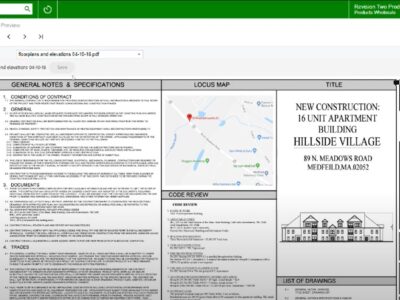
A screen shot of a website showing a construction plan.

Acumatica Adobe Integration Video Blog

May 25, 2022 by Hector
One of many integrations available for Acumatica includes one for Adobe Acrobat that lets you sync data and upload PDFs into your ERP, among several …
Read moreAcumatica Adobe Integration Video Blog
Microsoft 365 and Sage 100 logos.

Microsoft Resources for Sage 100 Users

May 18, 2022 by Hector
This article will cover some of the Microsoft resources and integrations available for Sage 100 users, enabling you to connect your ERP with other …
Read moreMicrosoft Resources for Sage 100 Users
Two women working on a laptop.

System Requirements for Acumatica 2022 R1

May 4, 2022 by Hector
Joel Gress VP of Product Marketing – Acumatica SWK Technologies, Inc. Acumatica 2022 R1 includes over 200 enhancements and 60 new features …
Read moreSystem Requirements for Acumatica 2022 R1
  • Previous
  • Page 1
  • Interim pages omitted …
  • Page 9
  • Page 10
  • Page 11
  • Page 12
  • Page 13
  • Interim pages omitted …
  • Page 23
  • Next

Sidebar

Recent Posts

  • How to Use Recurring Journal Entries in Sage Intacct
  • How to Use Auto Generate Invoices in Sage 100
  • How the CCPA Audit Rule Affects SMBs in 2026
  • Cybersecurity Training – Why You Need More Than a Checkbox
  • How to Set Up AI Studio in Acumatica 2025 R2
  • A Brief History of the Dark Web
  • How to Combine Reporting Areas in Sage Intacct ICRW

Categories

Ready to take the next step?

Contact SWK today to get in touch with one of our experts. We’ll go over your business challenges and unique needs, and see where you can unlock new value from your technology and make your operations run easier.

Get in touch!

Our Latest Posts

Sage Intacct recurring journal entries Transaction tab showing a new entry form with Book set to Accrual, Journal set to GJ–General Journal, Description set to Rent, Reference number 1, and two entry lines: a $1,500 debit to account 60300–Rent and a $1,500 credit to account 20100–Accounts Payable, both assigned to Department 100–Admin and Location 100–Entity 1.

How to Use Recurring Journal Entries in Sage Intacct

Read moreHow to Use Recurring Journal Entries in Sage Intacct
Sage 100 Auto Generate Invoices Selection screen showing the Order Type dropdown expanded with "Standard/Back Orders" and "Repeating Orders" options, selection criteria fields including Sales Order Number, Sales Order Date, Customer Number, Salesperson, Cycle Code, Ship Date, and Promise Date set to 2/24/2025, and checkboxes for Ship Invoice Complete, Select Orders on Hold, and Only Select Jobs with Status of Open.

How to Use Auto Generate Invoices in Sage 100

Read moreHow to Use Auto Generate Invoices in Sage 100
California state flag on the left and United States flag on the right flying side by side on separate poles against a clear blue sky, representing the updates to the CCPA in 2026.

How the CCPA Audit Rule Affects SMBs in 2026

Read moreHow the CCPA Audit Rule Affects SMBs in 2026

Awards and Accreditations

Top work places in NJ 2020.
Acumatica the Cloud ERP gold certified partner.
The Gold Microsoft partner logo on a black background.
Sage business partner diamond logo.
Dell Technologies Gold Partner
Sage tech partner logo.

Stay in the know!

Subscribe for exclusive ERP, process automation, IT and cybersecurity news.

Twitter
  • Facebook
  • YouTube
  • LinkedIn

Home
About
Contact

Support
Screen Connect
Pay Online
Downloads

SWK logo.

Headquarters:
120 Eagle Rock Ave, Suite 330
East Hanover, NJ 07936

Contact:
info@swktech.com
(877) 979-5462

Copyright © 2026 · SWK Technologies, Inc. · All Rights Reserved · Terms of Use · Privacy Policy

This site uses cookies to collect information about your browsing activities in order to provide you with more relevant content and promotional materials, and help us understand your interests and enhance the site. By continuing to browse this site you agree to the use of cookies. Visit our privacy policy to learn more.